Deepsolv Blog
Deepsolv Blog
Backed by









Creative Decision Intelligence for Meta growth teams. Know what to test next — before you spend on it.
Follow Deepsolv on InstagramFollow Deepsolv on LinkedInFollow Deepsolv on TwitterAll rights reserved © 2026 deepsolv.ai
5 min read
Published: 10/3/2025
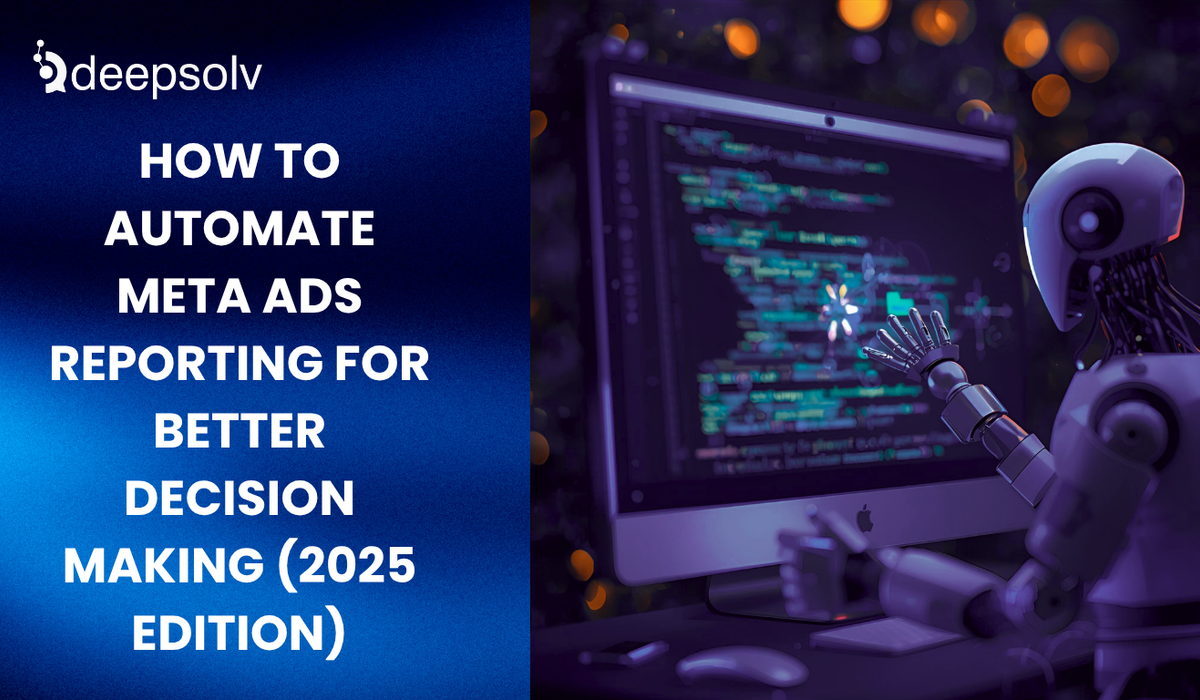
If you’ve ever managed Meta Ads (Facebook, Instagram, Messenger), you already know how reporting can eat your week alive.
By Friday, you’ve exported CSVs, fixed columns, checked campaign IDs, double-checked conversions, and still something doesn’t add up.
It’s not your fault. The landscape has changed. Meta’s algorithms update constantly. Performance shifts by the hour. And manual reporting? It’s just not built for this speed anymore.
In 2025, data isn’t the challenge but time to decision is.
The fastest-growing brands aren’t winning because they have the most data; they’re winning because they automate the way they interpret and act on it.
So, if you’ve ever thought:
“There has to be a smarter way to track what’s working,”
this blog will show you exactly how to build an automated Meta Ads reporting system that’s faster, cleaner, and built for real-time decisions.
Let’s be honest, reporting isn’t the glamorous part of advertising. But it’s where good campaigns become great or collapse completely. Here’s why manual workflows are quietly killing your efficiency.
By the time you export yesterday’s performance, trends have already shifted. Your best ad might be fatiguing, or your CPMs may have spiked. You’re always one step behind.
Copy-pasting data between spreadsheets, mixing up date filters, or forgetting an ad set as these are small errors that lead to big misreads.
And when reports are wrong, your decisions are too.
Running one ad account? Fine. Ten? Impossible. Manual reports don’t scale with your ad spend, teams, or regions.
You might know CTR dropped, but do you know why? Automation doesn’t just track but it reveals cause and effect.
In short: manual reporting is yesterday’s problem. Automation is tomorrow’s advantage.
Automating Meta Ads reporting means building a system that automatically collects your data, updates your dashboards, and surfaces insights without you ever touching a spreadsheet.
Instead of exporting files, you’ll see live dashboards that answer questions like:
It’s how leading marketers cut analysis time in half and shift focus from reporting to revenue optimization.
Here’s what automation typically involves:
Before connecting anything, get crystal clear on your metrics.
Don’t automate noise, automate what drives your decisions.
Key performance indicators to track:
Pro Tip: Build your KPI framework around your marketing funnel:
This makes your dashboards more meaningful and less cluttered.
You have multiple options from native Meta tools to full AI automation.
Great for basic automation. You can:
✅ Best for small advertisers❌ Limited for multi-account management or deeper insights.
The go-to for most marketers in 2025.
With connectors like Supermetrics, Coupler.io, or Funnel.io, you can:
Why it works: It visualizes performance beautifully and saves hours of manual work.
The smartest advertisers now go one step further using AI tools like Adam by Deepsolv to move from reporting to recommendations.
Adam doesn’t just automate your reporting. It:
“Creative fatigue detected in Reels campaign after frequency 3.4 — test a new hook or carousel format.”
It’s your AI strategist, built to make data understandable and actionable.
The best reports aren’t static but they’re alive.
Once your dashboards are ready, set:
Example automations:
No more logging in five times a day. You get notified when it matters.
Your dashboards should feel like a story about your brand’s performance, not a math sheet.
Must-have sections:
| Section | Why It Matters |
| Campaign Overview | See which objectives (traffic, sales, engagement) perform best |
| Creative Performance | Identify visuals or ad copies driving results |
| Audience Insights | Track which demographics convert best |
| Budget Pacing | Ensure daily and total spend align with plan |
| ROAS Trends | Connect ad spend with actual sales |
| Fatigue Warnings | Highlight high-frequency, low-CTR ads |
Pro Tip: Annotate your dashboards. Add notes like:
“CTR dropped 12% after Day 6 – consider refreshing visuals.”
That’s not reporting — that’s decision-making.
Once your reporting is automated, it’s time to make it intelligent.
AI platforms like Adam by Deepsolv use historical performance and real-time data to:
It’s how modern advertisers save thousands by predicting — not reacting — to campaign performance.
Numbers alone don’t tell the whole story. Comments, DMs, and audience sentiment do too.
That’s where Brandy by Deepsolv complements Adam perfectly.
While Adam automates performance insights, Brandy:
Together, they create a complete ecosystem, one showing not just what performed, but why it did.
A D2C brand running ads across India and the UAE struggled with reporting delays. Their team spent 10+ hours every week manually merging data from multiple accounts.
They switched to an automated dashboard powered by Adam + Looker Studio.
In 45 days:
Automation didn’t just save time, it drove clarity, efficiency, and profit.
The next evolution in ad analytics isn’t automation, it’s prediction.
By 2026, tools like Adam will:
It’s not just about faster reporting. It’s about smarter decisions powered by data you can trust.
Every brand collects data. Few know how to make it work for them.
Automating your Meta Ads reporting is how you move from guesswork to growth work.
You’ll spend less time building reports and more time improving campaigns, creatives, and conversions.
Because in 2025, success isn’t about having more data, it’s about having the right insights, at the right time.
👉 Book your free strategy session with Deepsolv. In this session, we’ll help you audit your Meta Ads setup, connect your accounts, and show how Adam automates reporting so you can make decisions that drive profit not paperwork.
⏳ Limited slots remain this month. Don’t wait for your next performance drop, automate your insights today.
FAQs
Frequently asked questions related to this blog post