
Set Meta Creative Test Capacity From Your Team’s Actual Limits
Use your own weekly testing budget and operating limits to plan a Meta creative queue. Select the lower displayed ceiling as the binding constraint.
Recommended weekly concepts
4
Production-coveredThe stated weekly production capacity exceeds the planned asset load.
- Media-supported concepts per week
- 5
- Production-supported concepts per week
- 4
- Assets required for planned batch
- 9
- Production gap
- 3
- Approval runway
- 0.4
Assumptions
- All INR amounts are user-set planning inputs, not industry benchmarks or platform requirements.
- Media-supported concepts per week equals weekly testing budget divided by planned media spend per concept.
- Production-supported concepts per week equals weekly production capacity divided by variants per concept.
- Choose the lower of the two displayed concept counts as the binding constraint for recommended weekly concepts.
- Assets required for the planned batch equal planned concepts multiplied by variants per concept.
- Approval runway equals approval days divided by seven and measures lead time, not approval throughput.
- This planner does not calculate statistical significance, forecast ROI, or establish a scale, stop or winner decision.

By Sachit Sharma, CEO & Founder · Reviewed 25 Sept 2026
In brief
Set weekly Meta creative-test capacity by the lower of your media-supported and production-supported concept counts. This planner logs the assumption behind each count, shows planned asset load and approval runway, and does not use a universal testing-budget percentage.
Worked example at the defaults
With Weekly testing budget at ₹50,000, Planned media spend per concept at ₹10,000, Production capacity per week at 12 assets, Concepts in the planned batch at 3 concepts, Variants per concept at 3 variants, Approval time at 3 days, Binding constraint at Production ceiling:
- Media-supported concepts per week
- 5
- Production-supported concepts per week
- 4
- Recommended weekly concepts
- 4
- Assets required for planned batch
- 9
- Production gap
- 3
- Approval runway
- 0.4
How the planner turns inputs into a queue
The planner calculates two independent ceilings. Media-supported concepts equal weekly testing budget divided by planned spend per concept. Production-supported concepts equal weekly production capacity divided by variants per concept. Select the lower ceiling so the recommendation records the constraint your team is actually accepting.
The planned-batch check compares required assets with stated production capacity. Approval runway converts approval days into weeks, but does not reduce output automatically because lead time alone cannot establish approval throughput.
A test still needs a stated hypothesis, one creative variable, audience, success metric and scale-or-stop condition. Meta’s published guidance for Audience Network A/B testing also recommends holding other aspects constant and limiting simultaneous tests, which is why a capacity plan should not be confused with a performance verdict.
From capacity plan to retained learning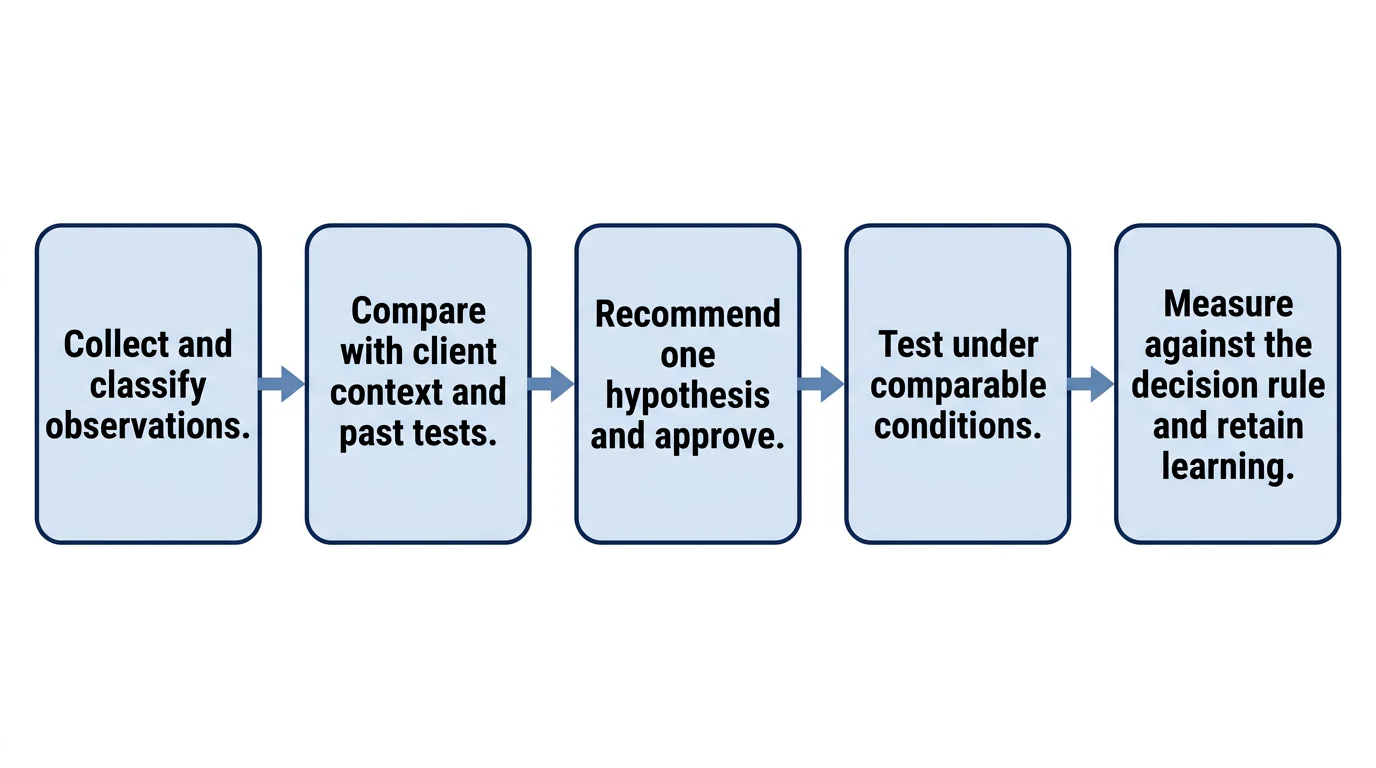
Related resources
Frequently asked
Enter the media amount your team has decided a single concept must receive before you review it. This is an internal planning assumption, not a Meta rule or an industry benchmark, so record the decision owner and revisit it when your objective or measurement conditions change.
A weekly test budget and an asset-production limit constrain different parts of the workflow. The planner shows both counts so the team can schedule the lower ceiling instead of assuming that available spend automatically creates production capacity, or that available assets automatically have enough media support.
Approval time is shown as runway because calendar delay does not automatically establish approval throughput. A three-day approval delay can coexist with high or low approval capacity depending on the number of approvers, concurrent reviews and rework, which this planner does not assume.
No. This calculator plans operating capacity and makes its budget assumption visible. Statistical validity depends on the outcome being measured, delivery conditions, observed volume, comparison design and the decision rule, so it should be evaluated separately from the number of assets the team can produce.
Turn a capacity plan into a ranked test queue
Book a personalised walkthrough to see how Deepsolv connects creative evidence to weekly test decisions.
Book a demo