Meta Creative Libraries: Which Meta Ads Creative Library Software Do You Need?


TL;DR
We choose Meta ads creative library software by the decision it must support, not by the number of saved ads it can hold. This guide separates research, monitoring, asset management, analytics, and creative intelligence, then shows a three-person team when a manual Notion workflow is enough and when connected signals justify a smarter decision layer.
Meta’s public advertising archive separates currently running ads from longer-lived transparency records, including certain political and issue ads retained for seven years. That distinction matters because a saved competitor creative and a proven competitor result are not the same thing.
Choose Meta ads creative library software by the decision your team needs to make. Research tools discover and save public competitor ads, monitoring systems record changes, asset systems organize owned files, analytics reads your account, and creative intelligence connects those sources to recommendations. A database is useful, but it cannot create evidence it does not collect.
We will map the categories, show what each can and cannot prove, compare practical workflows, and give a clear recommendation for a three-person Meta team.
What Types of Meta Creative Libraries Exist?
“Creative library” describes several different jobs. Treating all of them as the same product creates a predictable mismatch: a team buys a place to save ads when it really needs alerts, or buys reporting when it really needs help deciding what to test.
| Tool Type | Primary Job | Core Data | Main Output | Boundary To Understand |
|---|---|---|---|---|
| Competitor research library | Find and save public ads | Public Meta ads | Searchable reference collections | It does not reveal private results |
| Monitoring system | Detect launches and changes | Repeated public-ad captures | Alerts and observed timelines | Its history depends on what it captured |
| Asset manager | Govern owned creative files | Internal assets and metadata | Approved files, versions, permissions | It does not research the market |
| Analytics tool | Diagnose owned ad performance | Connected account metrics | Performance reporting | It does not show competitor outcomes |
| Creative intelligence platform | Prioritize next tests | External, customer, and first-party signals | Ranked tests and briefs | It needs reliable inputs and team judgment |
For research alone, the native Meta library plus a disciplined saving process can work. Once the question becomes “what changed this week?” rather than “what can we find today?”, continuous competitor tracking becomes a separate requirement.
What Data Does Meta Ads Creative Library Software Use?
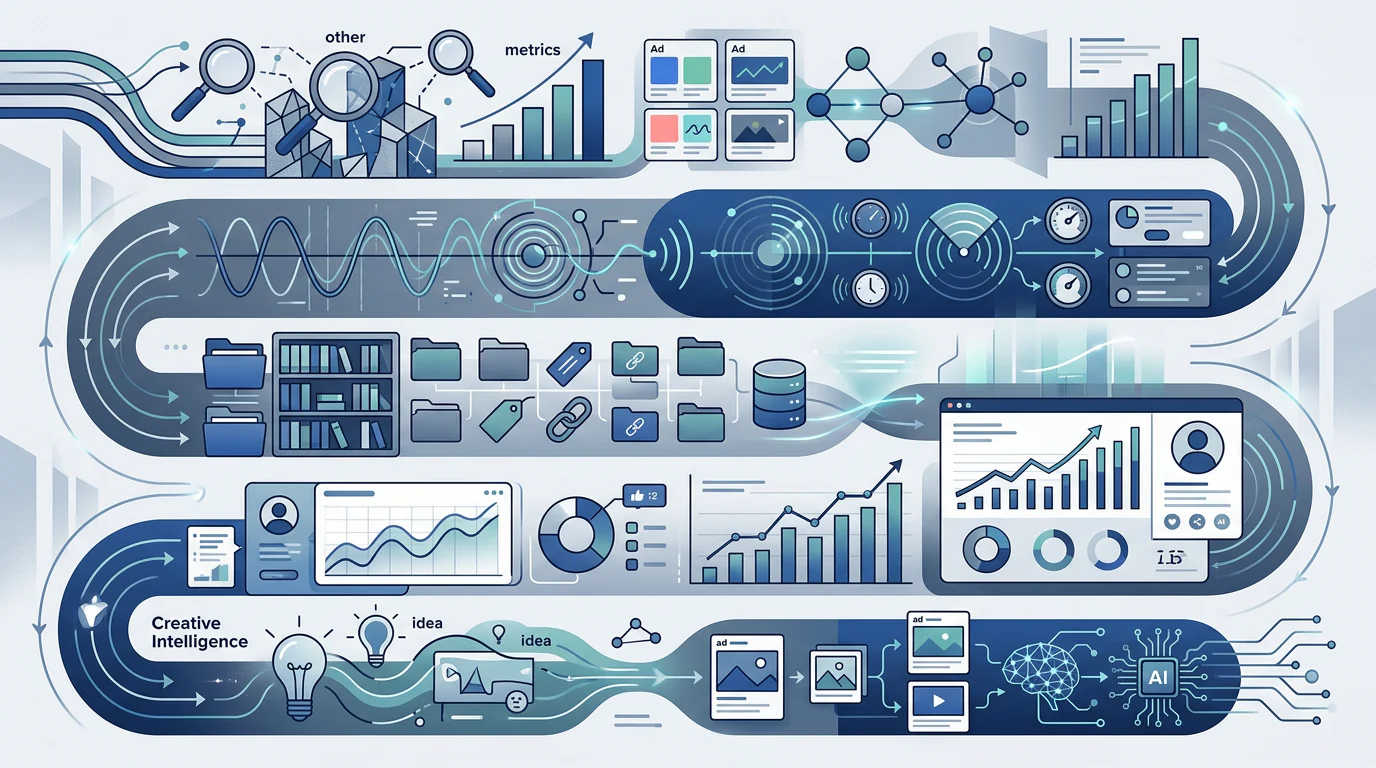
The useful distinction is not whether a tool has an AI label. It is whether it can access, retain, and connect the data required for the team’s next decision. Public creative is one input. It becomes more useful when it is paired with a clear taxonomy, customer language, and results from the team’s own tests.
Public Ads and Observed History
Public ads can provide visible copy, creative, offers, formats, advertiser identity, and active status. A monitoring workflow can then record observed launches, creative swaps, and periods of continued availability. That produces useful change history, but it remains observed availability, not a readout of spend or sales.
Customer Language and Owned Files
Comments, reviews, support conversations, surveys, and DMs can explain why an angle may resonate or fail. Customer signals and performance data identify different evidence types: customer language identifies objections and motivations, while performance data tests whether a creative response changed commercial outcomes. Asset managers then preserve approved files, versions, and usage context.
First-Party Metrics and Recommendations
A connected account can verify impressions, spend, link clicks, results, CPM, CTR, CPC, and cost per result through Meta reporting. Our platform is designed for the step after collection, connecting those owned results with external activity and customer signals to rank what deserves a test.
What Can Competitor Signals Actually Prove?
Competitor research is valuable when it creates better hypotheses, not when it presents inaccessible commercial facts as certainty. A visible ad can tell your team how a brand frames a problem, what offer it presents, which format it is using, and whether your monitoring process has repeatedly observed it.
It cannot, by itself, prove ROAS, CPA, conversion rate, targeting, attribution, profitability, or the reason an advertiser kept or paused an ad. A long-observed creative may be worth researching, but longevity is a prioritization clue, not a performance report.
Enrich Ads Without Overclaiming
Tag competitor creative at intake with hook, angle, offer, format, audience problem, landing-page promise, first-seen date, and change status. These fields make a collection searchable and comparable without turning subjective labels into facts.
Turn Patterns into Testable Hypotheses
We use creative intelligence software to translate a recurring pattern into a distinct test for your brand. For example, a visible comparison hook can become a hypothesis about reducing a specific customer objection, then be measured against a control in your own account.
Preserve the Difference Between Evidence Types
Label public observations as “observed,” customer feedback as “reported,” and account metrics as “verified.” That small discipline prevents a creative brief from overstating what it knows and makes later performance interpretation more reliable.
How Do Workflows Compare for a Three-Person Team?
For a small team, the biggest cost is often not the subscription. It is the repeated work required to find ads, decide what matters, make briefs, and remember what happened after launch. A cheap system becomes expensive when it creates an unowned weekly maintenance task.
| Workflow | Search And Collection | Tracking | Customer Signals | First-Party Metrics | Output | Setup And Maintenance | Price Signal |
|---|---|---|---|---|---|---|---|
| Meta Library + Notion | Manual search, save, tag, and share | Manual snapshots only | Manual entry | Manual import | Reference database | Same-day setup, recurring upkeep | Free plan available; Plus is $30 monthly for three seats |
| Dedicated Research Tool | Faster search and collections | Varies by provider | Usually notes only | Usually unavailable | Saved references and boards | Quick setup, regular curation | Published plan varies |
| Monitoring System | Search plus tracked watchlists | Core capability | Usually unavailable | Usually unavailable | Alerts and observed change history | Watchlist setup, recurring review | Published plan varies |
| Analytics Tool | Owned creative search | Owned campaign history | Usually unavailable | Connected account metrics | Performance diagnosis | Metric configuration | Published plan varies |
| Deepsolv, Our Platform | Competitor, customer, and test evidence | Continuous research workflow | Included | Included where connected or provided | Ranked test plan and briefs | Demo-led setup, lower synthesis burden | Tailored quote |
Notion’s current Plus price is $10 per member each month, so a three-person workspace costs $30 monthly on Notion pricing. That is a sensible choice when one person can reliably own the database, enforce tags, and bring the best references to a weekly review.
Run a Weekly Research Cadence
Set a research block, save only relevant evidence, and review the collection before briefs are written. Without a cadence, a swipe file becomes a visual attic. Our creative testing memory approach treats each finished test as an input to the next decision, not an isolated campaign artifact.
Use a Shared Taxonomy
Keep the same tags across external research and owned tests: format, hook, angle, offer, status, audience problem, and outcome. This lets a media buyer, strategist, and creative partner retrieve the same evidence without interpreting a folder structure differently. Use one controlled vocabulary, audit it monthly, and define who can create tags. That prevents three people from giving the same pattern three different names and making later searches unreliable.
Build Briefs from Evidence, Not Taste
A strong brief names the observed pattern, customer tension, hypothesis, test variable, control, and success measure. That makes paid social test prioritization a repeatable decision process rather than a weekly debate over which reference looks most interesting.
Which Type Should a Team Choose?
Choose a manual Meta Library and Notion workflow when your immediate problem is simply collecting examples and your team can protect a recurring research block. It is the right low-cost starting point for a disciplined team that needs a shared reference system more than alerts or recommendations.
Choose monitoring when the market moves faster than your manual checks. Choose analytics when you cannot explain your own creative outcomes. Choose an asset manager when file retrieval, approvals, rights, and version control slow production. Choose creative intelligence when the team is already collecting signals but cannot confidently rank the next concept.
Use this five-step selection test before committing:
- Name The Bottleneck: Decide whether the missing capability is discovery, tracking, file governance, performance analysis, or test prioritization.
- List Required Inputs: Write down whether the decision needs public ads, observed history, customer language, owned metrics, or all five.
- Define The Weekly Output: Choose one tangible result, such as an alert list, approved assets, a performance diagnosis, or a ranked test brief.
- Price The Labor: Include the hours needed to search, tag, clean up, and turn references into action.
- Run A Thirty-Day Proof: Track time to brief, hypotheses created, concepts launched, and learnings retained before expanding the workflow.
If your team is bleeding ideas rather than lacking folders, start with ad-intelligence alternatives that help turn mixed evidence into a decision.
Why Choose Deepsolv for Creative Intelligence?
At Deepsolv, we built our platform for the moment a small Meta team has more signals than confidence. We bring competitor activity, customer language, and the ad learnings your team has already earned into one decision workflow. Instead of asking someone to keep another folder current, we help turn evidence into a ranked weekly test plan, clear reasons to test or skip a concept, and briefs a creative partner can act on.
That fit matters when three people share research, production, and media buying. You can use us to preserve decisions, challenge a familiar angle with fresh market evidence, and make the next test traceable to its inputs. We are not a substitute for disciplined measurement or for the files your team must govern. We are the layer that helps those signals become a defensible creative decision. Start with Book a Demo.
FAQs on Meta Ads Creative Library Software
These answers help.
What Does the Meta Ad Library Show?
It shows currently running public ads across Meta technologies. Some regulated archives have separate history rules, but generic competitor data does not reveal their private account results.
Can a Creative Library Show a Competitor’s ROAS?
No. Public creative can support hypotheses about messaging, format, offer, and observed persistence, while ROAS, CPA, spend, and conversion value require first-party advertiser data to verify.
Is a Manual Notion Database Enough for a Small Team?
Yes, when one person can own weekly research, tagging, and cleanup. It is less suitable when the team needs dependable alerts, data connections, or recommendations.
When Should a Team Choose Creative Intelligence?
Choose creative intelligence when the bottleneck is deciding which concept to test from mixed evidence, not simply finding examples or storing the files you have.